
A merchant on the OpenCart forum recently asked how to update stock quantities for a thousand products, and the top answer involved writing a custom PHP script to loop through a CSV file line by line. That’s not an uncommon case. OpenCart doesn’t ship with a native export button for products, so a lot of admins end up either editing records one at a time in the Catalog panel or writing custom scripts every time supplier prices change. Neither approach scales once a catalog passes a few hundred SKUs, and this is exactly the job an OpenCart Bulk Product Import Export Extension is built to replace. A proper bulk product import export extension for OpenCart turns that recurring manual work into something you configure once and never think about again.
Why Manual Product Updates Don’t Scale
Recreating a product record by hand means going through the General tab, the Data tab, the Links tab, and the Options tab separately, for every single item. On a catalog of a few hundred SKUs, that routine can stretch into days rather than hours.
Free CSV tools help, but most of them stop at basic upload. They don’t validate required fields before committing changes, and several are known to run into memory limits or crash mid-import on larger files, leaving an admin to figure out which rows actually made it in. One widely recommended free import tool is notorious in OpenCart forum threads for choking on catalogs above a few thousand rows, forcing the admin back to manual entry halfway through a project.
What an OpenCart Bulk Product Import Export Extension Actually Solves
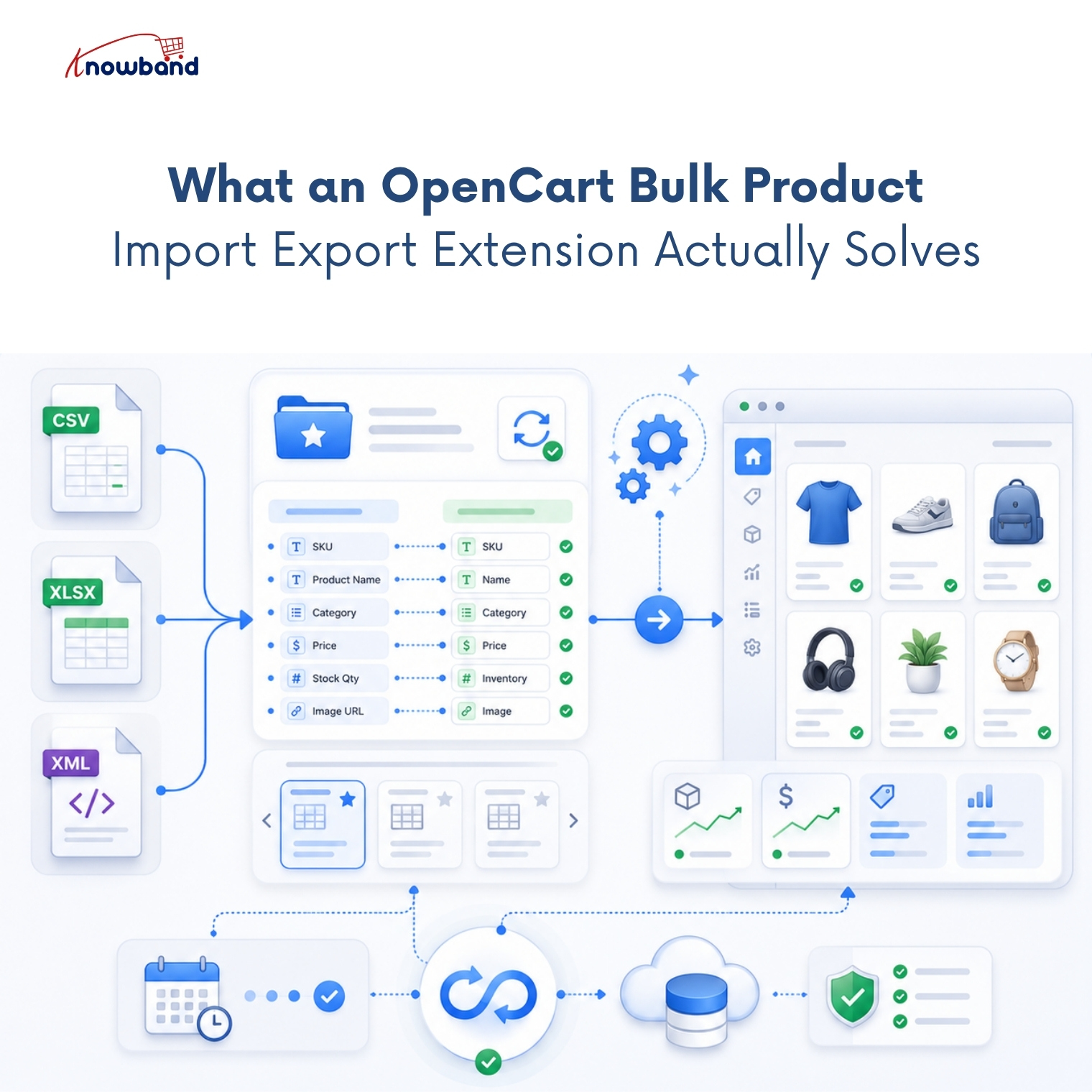
The core problem isn’t the file format; CSV, XLSX, or XML all move the same data. The real issue is that manual updates require a person to repeat an identical, error-prone task on a fixed schedule: daily price syncs, weekly stock refreshes, or one-time catalog migrations between stores.
An OpenCart bulk product import export extension replaces that repetition with a saved configuration. You map your columns once, save the mapping as a profile, and reuse it indefinitely instead of rebuilding the same import from scratch every time. That single change, reusable configuration instead of repeated manual entry, is what turns a monthly time sink into a five-minute check-in.
How Scheduled Sync Removes the Manual Step Entirely
This is where the fix actually lives. Knowband’s OpenCart Import Export Scheduler Pro saves every import or export as a named profile, complete with file format, column mapping, and an optional cron schedule tied to FTP or SFTP.
In practical terms, a scheduled sync setup looks like this:
- Build an export or import profile once, mapping each column to the matching OpenCart field.
- Point it at an FTP or SFTP source for supplier feeds, or leave it as a manual upload for occasional runs.
- Enable the cron toggle, then add the generated cron URL to your server’s crontab.
- Let the scheduled job pull, validate, and apply the file automatically, with every run logged for review.
Once that’s running, a daily supplier feed updates stock and pricing overnight without anyone opening the admin panel.
Handling Product Variants and Multilingual Catalogs Without Breaking Data
Bulk product upload gets more complicated once options, variants, and multiple store languages enter the picture. Standard CSV workflows often lose combination data or overwrite translated fields with default-language text, and that’s a common source of frustration in OpenCart community threads.
An OpenCart Automated Catalog Manager built for this handles product combinations as separate linked rows rather than flattening them, and exports translated fields per selected language rather than assuming one locale. Missing attribute values on the receiving store get created automatically instead of failing the row outright, which matters for cross-store catalog migration.
Catching Errors Before They Reach Your Live Catalog
Column mapping validation is the difference between an import you can trust and one you have to double-check by hand. Required-field checks that block an import when a column is left unmapped, paired with row-level error logs, give an admin exact visibility into what happened on every run.
That level of detail matters more than it sounds. When a batch import fails partway through on shared hosting, most tools just report success or failure. A log that shows which specific rows failed and why means fixing three bad rows in the source file instead of re-running the entire catalog.
Avoiding Timeouts on Large Catalog Imports
Shared hosting is where most bulk import tools quietly fail. A single request that tries to process ten thousand rows at once will often hit a PHP execution timeout before it finishes, and the admin is left staring at a half-imported catalog with no clear record of where it stopped.
Batch size settings solve this by splitting a large file into smaller chunks, each processed as its own AJAX request instead of one long-running script. A batch of 100 rows runs fine on modest shared hosting, while a VPS or dedicated server can typically handle 300 or more per request without issue.
This detail matters more for high-volume catalogs than most feature lists let on. An OpenCart Bulk Product Import Export Extension that batches correctly keeps working through a ten-thousand-row supplier feed the same way it handles a fifty-row manual update; the only difference is how long the run takes to finish.
Setting Up an OpenCart Product Import Export Scheduler Pro Profile
A short definition helps here: a profile is a saved configuration bundling data type, file format, column mapping, and destination, so a recurring bulk operation runs the same way every time without manual reconfiguration. Profiles are what separate a one-off CSV upload tool from a genuine scheduling system.
Setting one up takes three steps: transfer settings, field selection, and a final review before the first run. After that, the schedule handles itself, and the admin’s job shifts from “do the import” to “check the log occasionally.”
Getting Your Catalog Off Manual Updates for Good
Manual CSV work isn’t a skills problem. It’s a solution gap that shows up the moment a catalog grows past what one person can safely update by hand. An OpenCart bulk product import export extension closes that gap by turning a repeated manual chore into a configuration you set once.
Knowband built its scheduler around that exact shift, from ad hoc file uploads to unattended, logged, cron-driven catalog syncs. If your team is still exporting spreadsheets and manually checking rows for mistakes, setting up OpenCart Product Import Export Scheduler Pro is the more direct route back to hours spent on actual store work instead of data entry. Set the profile up once, and the only manual step left is glancing at Transfer Logs to confirm the run went through clean.
For more such reads, you can visit:


