
An OpenCart store that only runs on a browser is reaching only part of its audience. Mobile shoppers expect apps, faster load times, saved addresses, fingerprint login, and push notifications that bring them back when they forget to complete a purchase. Building all of that from scratch takes months and a significant development budget. KnowBand’s OpenCart Mobile App Creator skips all of that. It is a pre-configured Flutter framework that generates fully functional Android and iOS apps from your existing OpenCart store. Purchase the extension, share your app specifications, and receive your APK and IPA files in one to two days, no coding, no separate content management required.
The Problem: Customers Now Prefer Apps over Websites
Mobile-responsive OpenCart themes handle basic phone browsing, but they stop there. They cannot send abandoned cart notifications. They do not support OTP or fingerprint login. There is no wishlist that saves between sessions the way an app does, and no real-time order tracking baked into the experience.
Hiring Flutter developers to build separate Android and iOS apps is the obvious solution, but it means maintaining two codebases alongside your website, and keeping all of that in sync every time products, prices, or shipping methods change. Most OpenCart store owners give up on mobile apps for exactly that reason.
KnowBand’s OpenCart Mobile App Builder is built for store owners who need working apps without the load of extra work.
5 Features That Set The Opencart Mobile App Creator Apart
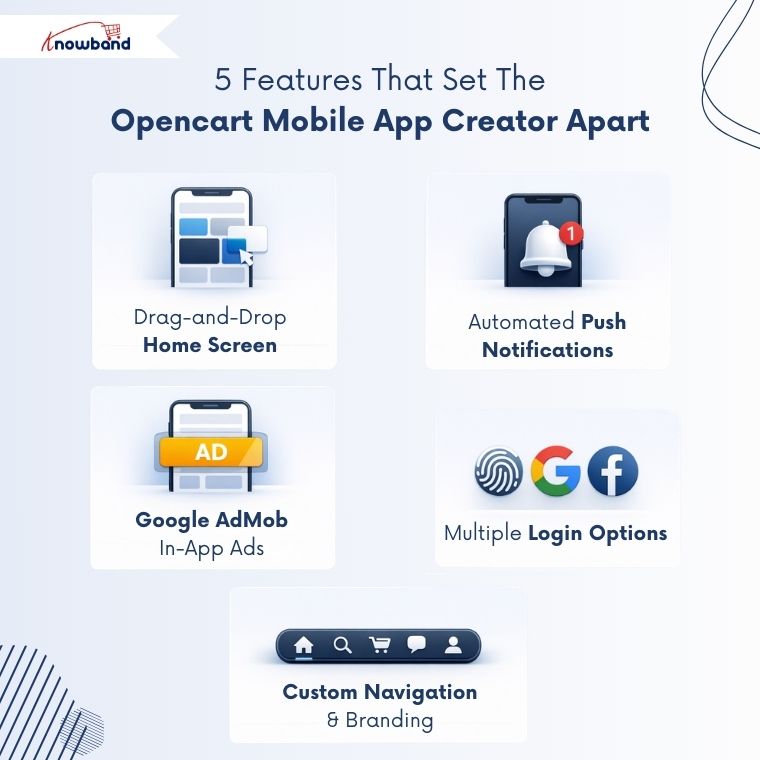
1. Drag-and-Drop Home Screen Layout With Video Banner Support
The Home Page Layout tab in the admin panel of Mobile App Builder lets you build the app’s home screen from scratch using a drag-and-drop editor. Available elements include top categories, square banners, sliding banners, grid banners, countdown timer banners, square products, and more. Up to 20 elements can be added per layout, and multiple layouts can be saved and switched from General Settings.
Additionally, video is supported in all banner types; admins can add a YouTube link or upload a video. Horizontal banner sliders also have automated sliding with a configurable time interval set from the backend.
2. Push Notifications With Automated Triggers and Manual Broadcast
Additionally, from the Push Notifications tab, admins can configure automated messages for three events: successful order creation, order status updates, and abandoned cart recovery. Each runs without manual input once set up. For promotions or store announcements, admins can send a single notification to all users at the same time from the backend.
Customers can also check their full notification history inside a dedicated notification tab in the app. On the Firebase side, the module also works with a Service Account JSON file; the google_services.json file is uploaded from the backend. This replaces the older Cloud Messaging API that Google has discontinued.
3. Google AdMob Integration for In-App Advertising
The Advertisement Setting tab is where admins connect their Google AdMob account and decide where banner ads appear in the app. Pages covered include the home screen, product pages, category pages, cart, checkout, and CMS pages. Each section has its own Ad Unit ID field and position selector.
Furthermore, on the product page, ad placement options are below the product image or above the Add to Cart button. On the checkout page, admins can choose from the top of the screen, the bottom, above products, or below shipping methods. On the cart page, ads go either above or below the product list. This keeps ad placement deliberate rather than intrusive.
4. Multiple Login Options Including OTP, Fingerprint, Google, and Facebook
The app supports email login, phone number login with OTP verification, fingerprint login, Facebook login, and Google login. Each is toggled independently from General Settings. The sign-up pop-up for non-logged-in customers can be positioned anywhere on the home screen, and the phone number field at registration can be made mandatory or optional.
Payment options in the app carry over from the OpenCart website; all existing web-view payment methods work automatically. COD is included by default, and native options like PayPal, PayU, Apple Pay, Amazon Pay, Braintree, and Stripe can be added on request.
5. Custom Navigation Bar With Full Branding Control
The Navigation Setting tab gives admins control over the bottom tab bar, the five icons that sit at the base of the app on every screen. Each tab can be renamed, set to redirect to home, cart, category, search, or profile, and assigned either a built-in icon or a custom uploaded image. Active and inactive color states are configurable separately.
Alongside this, the app pulls app button color, theme color, button text color, background color, and font style from General Settings. Hence, the app reflects the store’s visual identity rather than defaulting to a generic layout.
Why the Mobile App Builder Works for OpenCart Stores
Everything from the OpenCart store syncs to the app automatically: payment methods, shipping methods, coupons, vouchers, inventory updates, and all product types. Product pages show stock status, multiple images, short and full descriptions, and product options matching the website. The My Account screen includes order history, real-time order tracking, re-order functionality, and saved shipping addresses.
Multi-lingual support, RTL display, and multi-currency are all built in. The category screen offers both list and grid views with multiple filters and sorting options. For stores running a multi-vendor setup, the module is fully compatible with KnowBand’s OpenCart Marketplace extension; sellers, ratings, and marketplace listings all appear inside the same Android and iOS apps.
Lastly, device support of the eCommerce mobile app builder for Prestashop covers Android 4.2 and above and iOS 9 and above, on both tablets and mobile phones.
Conclusion
OpenCart store owners have always had the option to build a mobile app. The problem has been the time and cost of doing it properly. KnowBand’s OpenCart Mobile App Creator brings that down to a three-step process: purchase, share specifications, and receive a native Android and iOS app in one to two days.
From the home screen layout and push notifications to in-app advertising and marketplace compatibility, the module covers the features that actually affect how customers shop and come back. Thus, if your OpenCart store is ready, the apps should be too


